
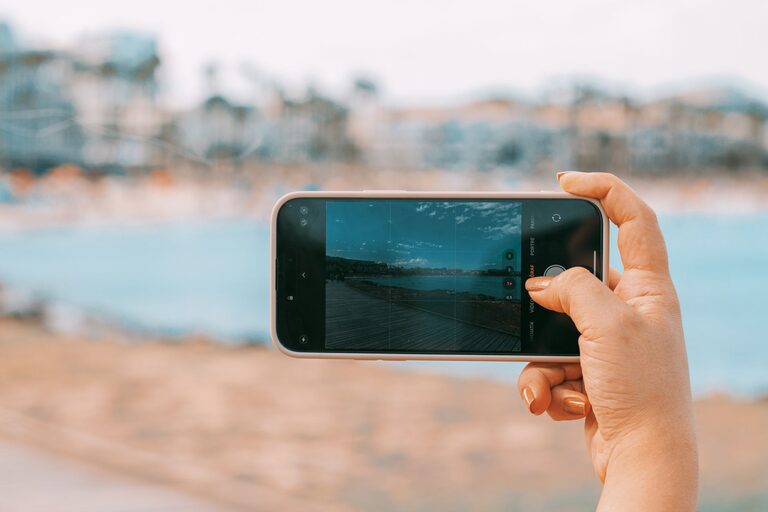
Taking great photos with your phone is easier than ever thanks to advances in smartphone camera technology. Whether you want to capture special moments, share on social media, or simply have fun with photography, these beginner tips will help you take better phone photos every time. Let’s walk through some simple strategies and settings to elevate your phone photography skills.
Understand Your Phone Camera Features
Before you start snapping away, spend some time exploring your phone’s camera app. Most smartphones include a variety of settings and modes that can greatly improve your photos.
– Resolution and quality: Make sure your camera is set to its highest resolution for the best detail.
– Gridlines: Enable gridlines to follow the “Rule of Thirds,” which helps with composition by dividing your frame into nine equal parts.
– HDR mode: High Dynamic Range (HDR) mode balances light and dark areas for more evenly exposed images.
– Focus and exposure: Tap on your subject on the screen to focus and adjust the brightness automatically.
Composition Basics: Frame Your Shots Like a Pro
Good composition is key to eye-catching photos. Use these beginner-friendly composition tips:
Rule of Thirds
Enable gridlines and place points of interest along the grid intersections. This creates balance and draws the viewer’s eye naturally.
Leading Lines
Use natural lines like roads, fences, or pathways to lead the viewer’s gaze into the photo.
Fill the Frame
Get closer to your subject or zoom in so it takes up more of the frame, reducing distractions and highlighting details.
Symmetry and Patterns
Look for symmetrical scenes or repeating patterns to add visual interest.
Negative Space
Use empty space around your subject to create a minimalist and clean look.
Lighting: The Key to Better Photos
Light dramatically affects how your photos turn out. Here’s how to use it wisely:
– Natural light is best: Whenever possible, use daylight by shooting outdoors or near windows.
– Avoid harsh midday sun: It creates strong shadows and highlights. Golden hours—early morning and late afternoon—offer soft, warm light.
– Use shadows creatively: Shadows can add depth and interest rather than being a problem.
– Don’t rely on flash: Phone flashes often produce harsh, unnatural light. Instead, increase exposure slightly or find better lighting sources.
Steady Your Shot
Blurry photos are frustrating. To avoid this:
– Hold your phone with both hands.
– Lean against a steady surface like a wall.
– Use a tripod or phone stand if you have one.
– Use the timer or voice command to prevent shake when pressing the shutter.
Explore Different Perspectives
Try shooting from unique angles to make your photos stand out:
– Get low and shoot upward.
– Shoot from above looking down.
– Experiment with side angles instead of straight-on shots.
– Move around your subject and take multiple photos.
Use Editing Apps to Enhance Your Photos
Editing can transform a good photo into a great one. Free and easy-to-use apps like Snapseed, VSCO, or Adobe Lightroom Mobile offer simple tools to adjust:
– Brightness and contrast
– Saturation and warmth
– Sharpness and clarity
– Cropping and straightening
Don’t overdo filters or effects; subtle edits usually look best.
Practice Regularly and Have Fun
Photography is a skill that improves with practice. Challenge yourself to take photos daily or weekly, try new subjects and styles, and learn from your results.
Remember, the best camera is the one you have on hand—and with a little attention to detail, you can take photos you’re proud of right from your phone. Enjoy the process and happy shooting!